We are all familiar with VMware Tools and Virtualbox Extensions and Peroxmox has its own agent to install for host to guest comms. It doesn’t appear to have quite the functionality of the others and it remains to be seen if copy/paste and graphics are manageable but it is nonetheless a good idea to install it to allow snapshots and proper shutdown, the official KB is here https://pve.proxmox.com/wiki/Qemu-guest-agent
On Linux you simply install the agent from your repositories.
On Debian this would use aptitude
sudo apt update
sudo apt install qemu-guest-agent
On Red Hat and Fedora use yum
yum update
yum install qemu-guest-agent
You then start the agent and enable it using systemctl
systemctl start qemu-guest-agent
systemctl enable qemu-guest-agent
You MUST also enable it on each VM.
Select the VM and go to Options > QEMU Guest Agent > Edit > tick the “Use QEMU Agent” box > click OK
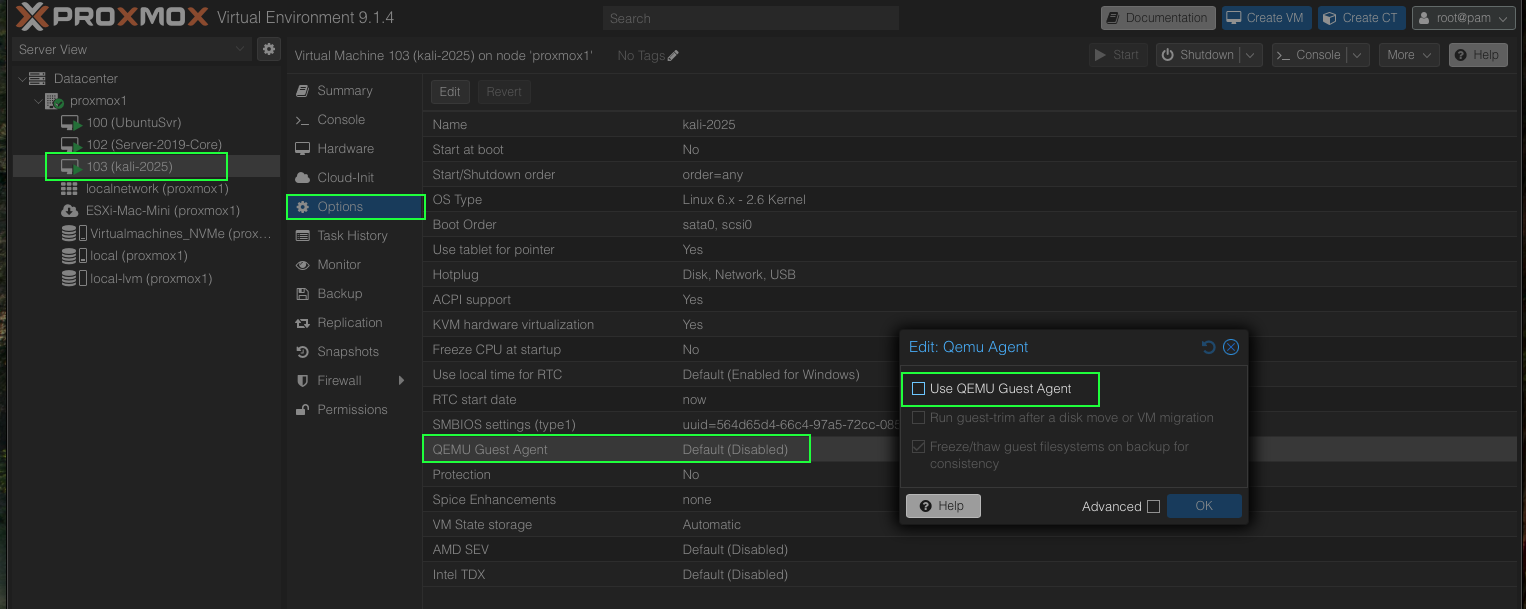
The VM MUST be completely shutdown for this to take effect. I tried a reset/reboot and it didn’t apply, it has to be powered off. So whilst you can add the agent and make the changes to options live, it didn’t apply until I shutdown the VM and restarted it.
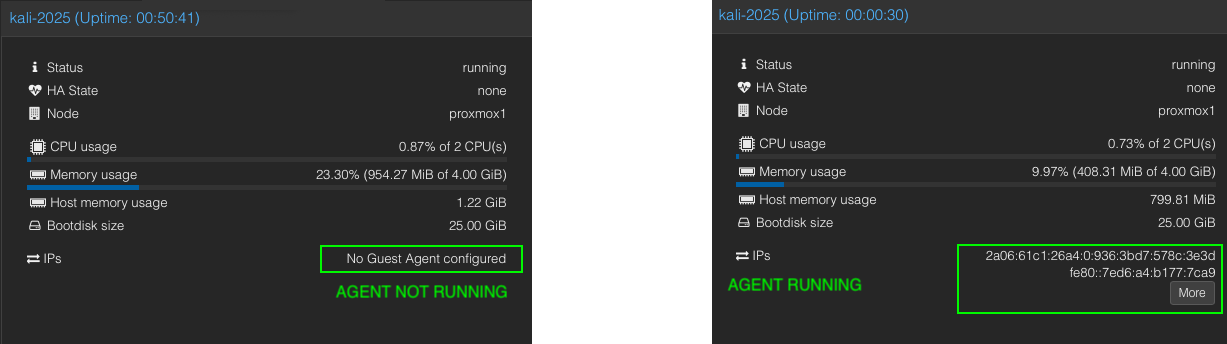
One simple way to see if it has applied is to look at the VM Summary, under IPs it will say “No Guest Agent configured” until it is working, at which point you’ll see the IP Address of the guest appear:
I haven’t done this on windows yet once I do I’ll post another article to show how it is done.